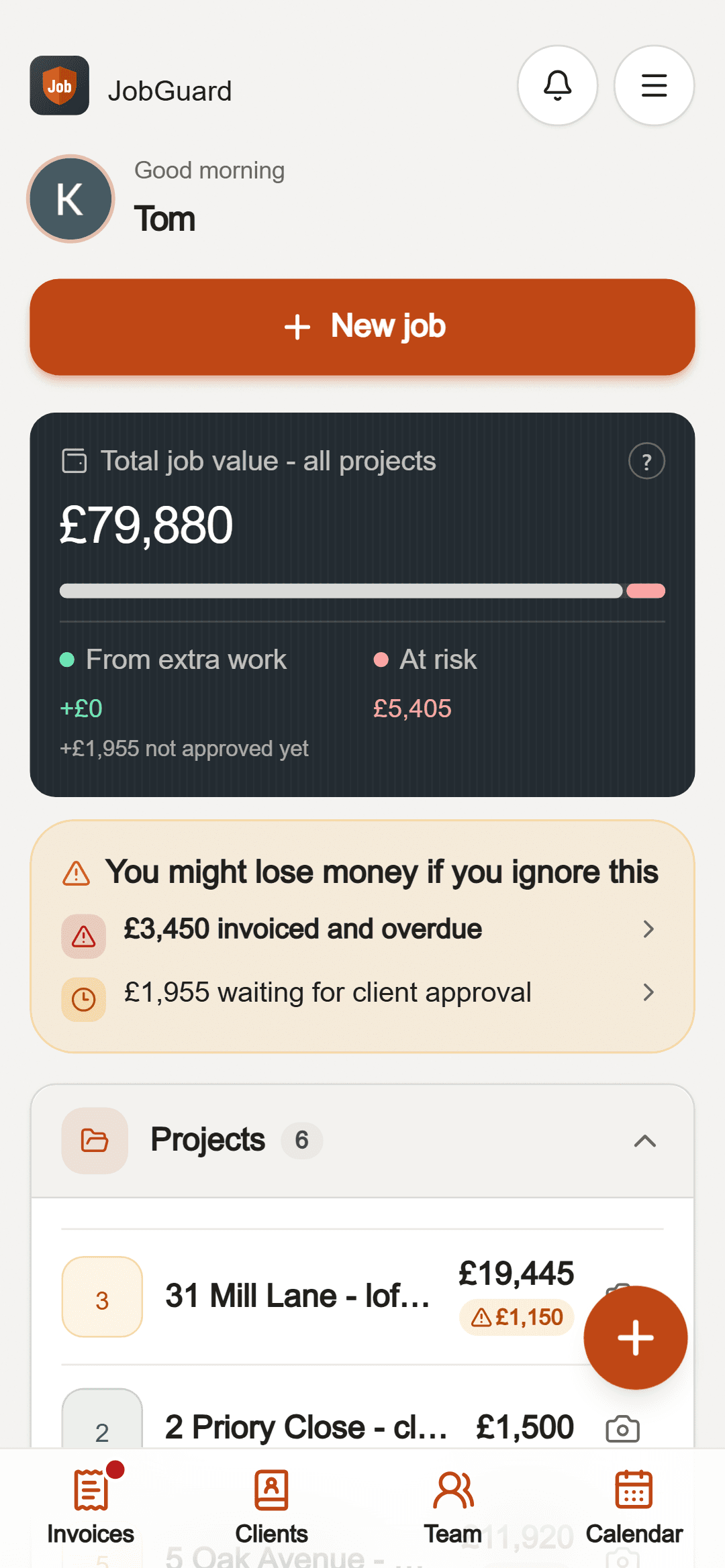
Good tradespeople don't lose money on the work. They lose it around it.
The quote missed the waste removal, the making good, the extra trip to the merchant.
JobGuard asks the questions an estimator would and lists what is easy to miss before you send the price.
"While you're here, could you…" - done as a favour, never paid.
Price the extra in a minute and send it. The client approves on their phone with a PIN and a signature.
Agreed on the drive, nothing in writing, and now the client remembers it differently.
Photos and notes carry the date, time and weather. Each client decision has its own dated record that can't be changed.
The invoice sits unpaid because chasing feels awkward.
Invoices with VAT, CIS and deposits worked out for you, overdue flags and a polite reminder in one tap.
How it works
Four steps, all from your phone, on site or in the van.
- 1
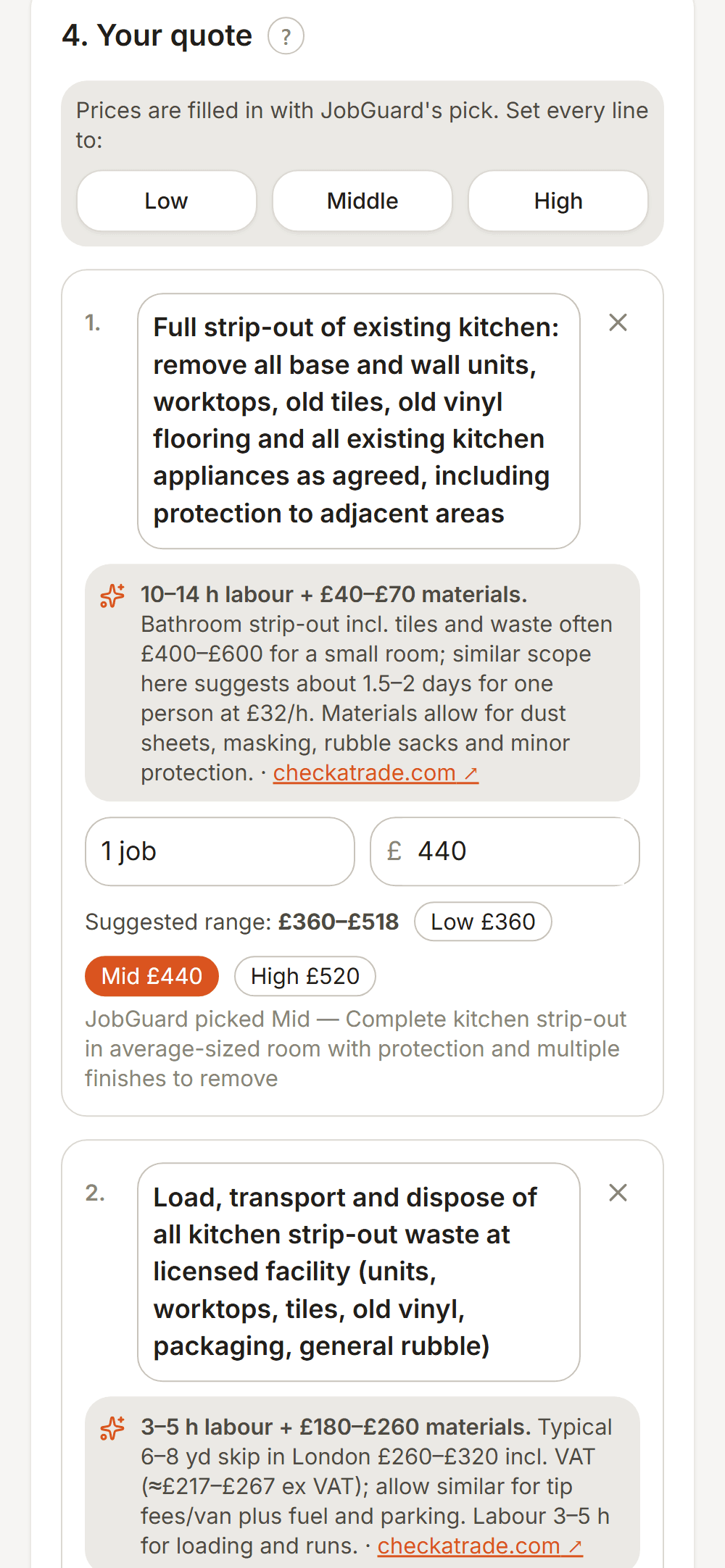
Price it properly
Take a few photos and say what the job is - typed or by voice. JobGuard asks what it needs to know, then suggests a price range for every line from current UK rates, merchant prices and your own past jobs. You pick the figure - and can add a picture of how the room could look when it is finished.
- 2
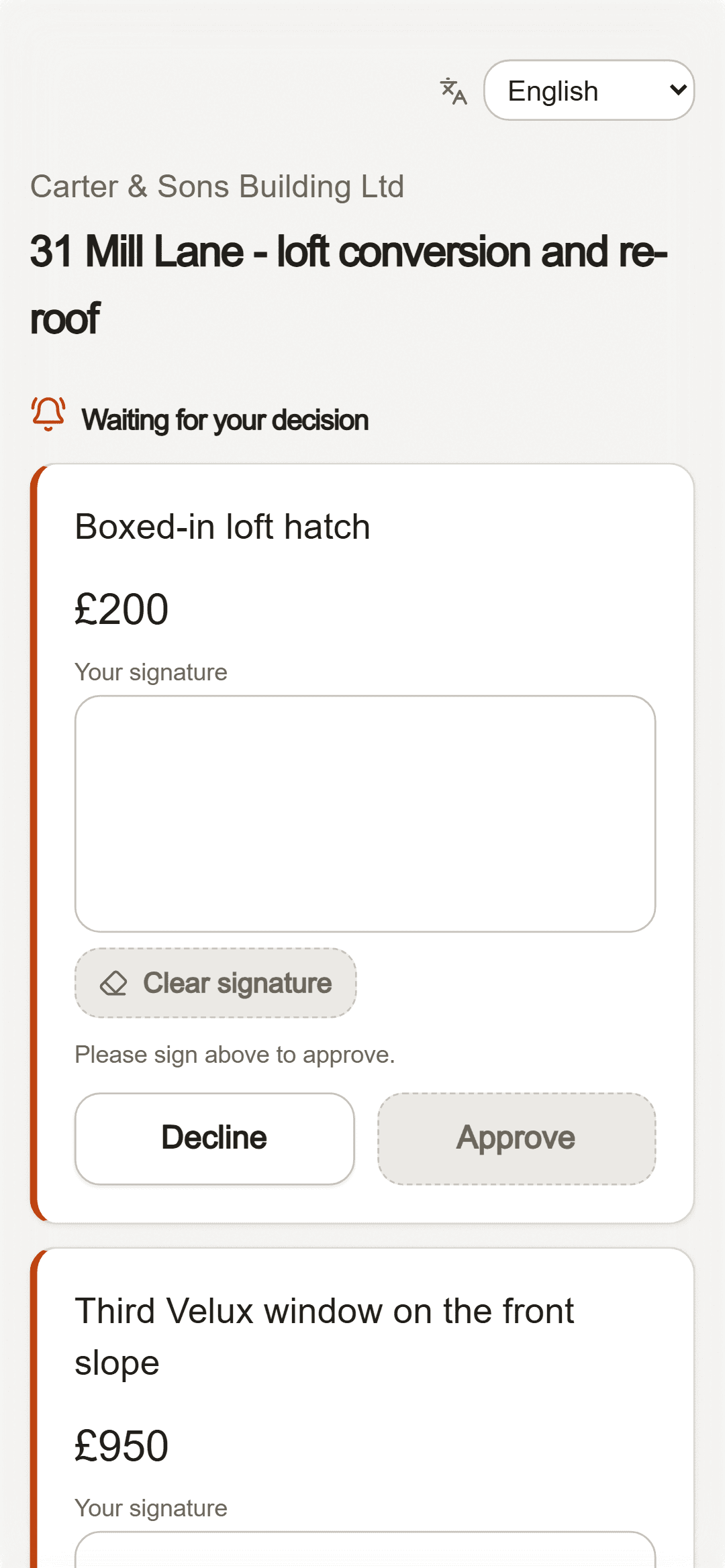
Get it signed - and every extra
The client gets a link and a PIN by WhatsApp, SMS or email. No app, no account. They read the quote in their own language and accept it with a signature. Extra work later goes the same way.
- 3
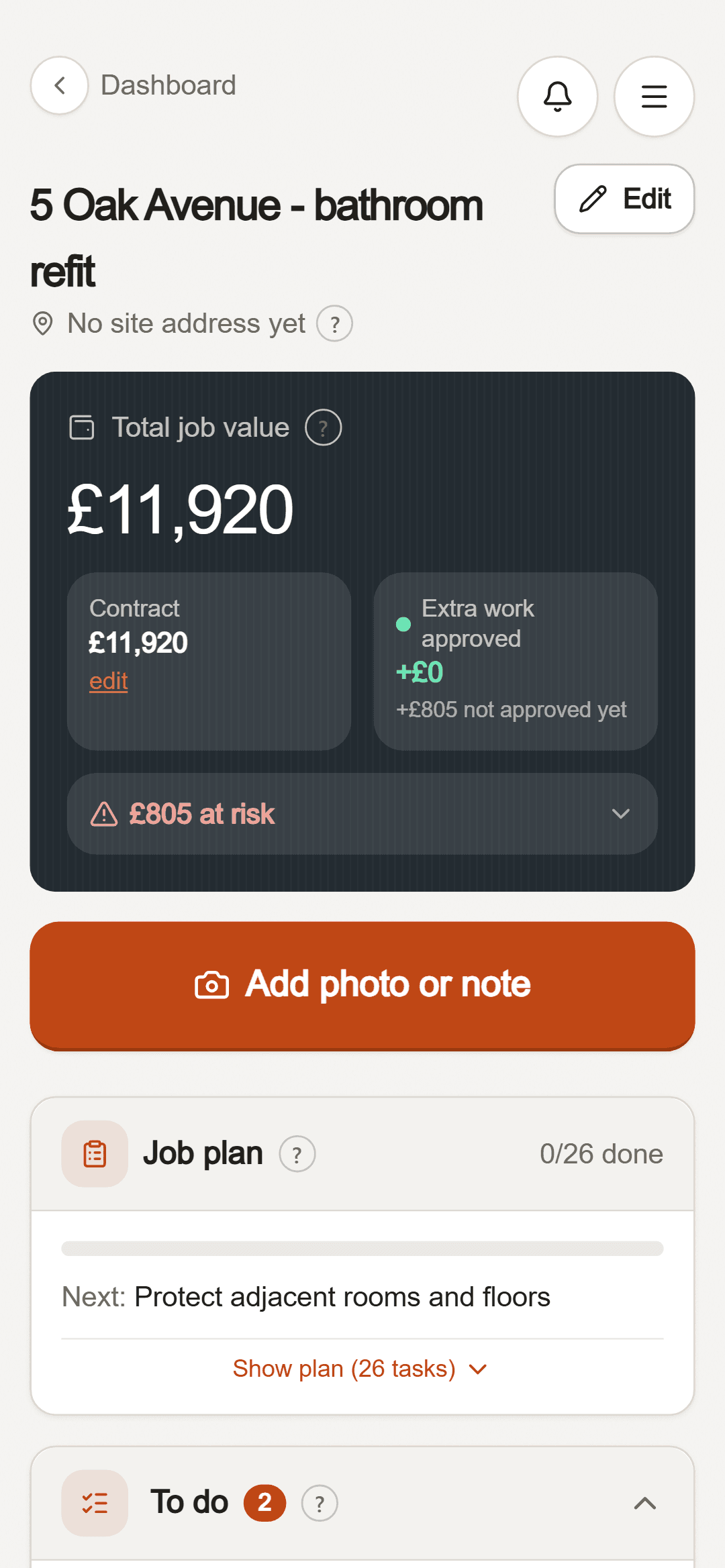
Keep the proof
Add dated photos and notes as you go. Each job shows what is agreed, what is approved and what is still at risk, so you never do work nobody signed for. It works with no signal on site, and one download gives you an evidence pack if a client ever disputes it.
- 4
Invoice and get paid
One tap turns the agreed price and the approved extras into an invoice; add receipts from the job with another tap. VAT, CIS, reverse charge and deposits are worked out for you, and the client gets a proper PDF. Fuel, tools and van receipts go in My costs, ready for your accountant.
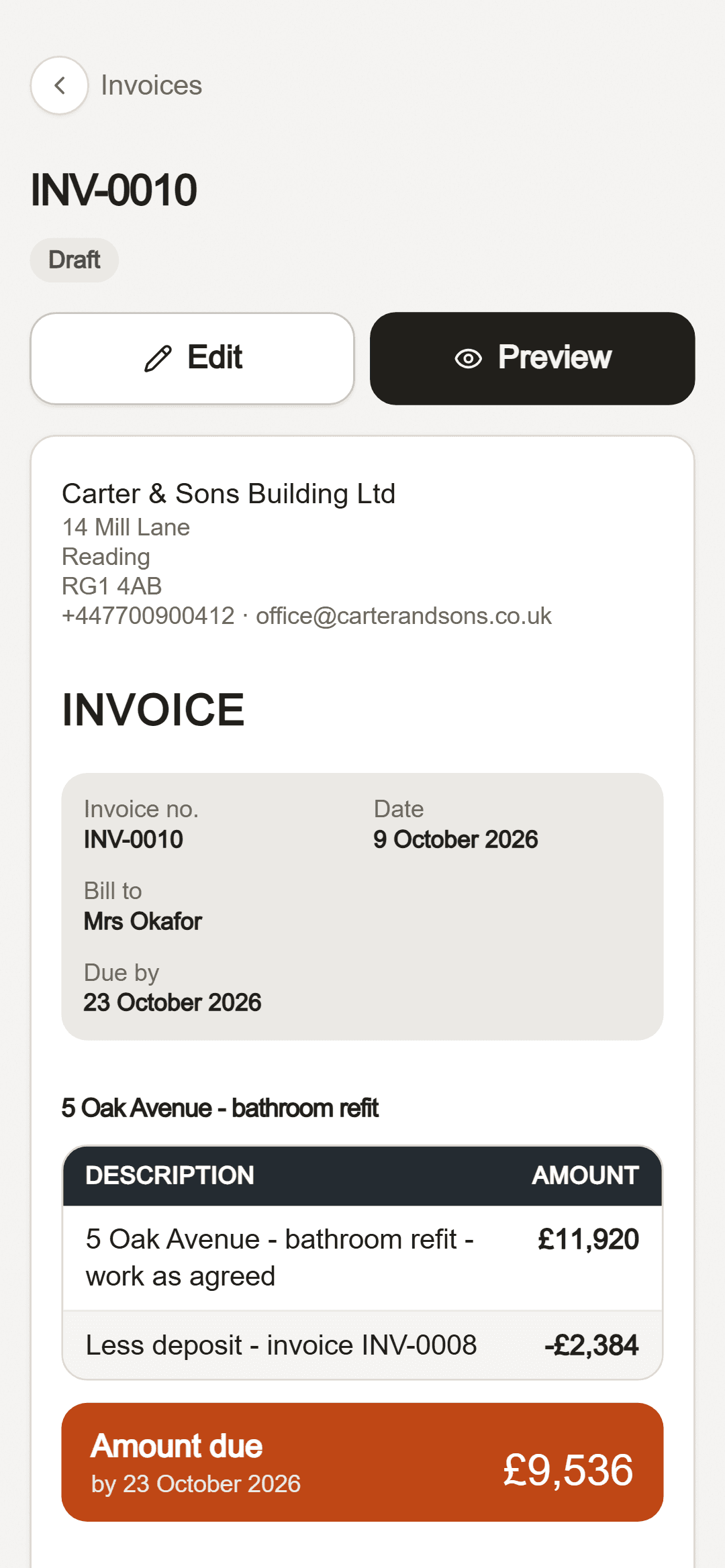
See every screen, step by step
JobGuard suggests, you decide: nothing is saved or sent to a client without your OK.
Your money and your records are safe
Payments by Stripe
Card details go straight to Stripe. JobGuard never sees or stores them.
Client PIN
A client can only approve extra work with their own PIN, so nobody else can say yes for them.
A record nobody can edit
Quotes, approvals and extra work are logged with the time. Entries are never changed afterwards.
Your data stays yours
Download everything or delete your account whenever you like. We follow UK GDPR.
3 months of Pro free
For the first 100 new accounts - 78 places left. Switched on when you sign up, no card needed.
Simple prices
Start free. Upgrade when JobGuard has paid for itself.
Free
£0
No card needed
- Up to 2 jobs
- 20 JobGuard suggestions a month
- Quotes, extra work and a dated job record
- Invoices: fill in from the job, send in a tap
- 3 invoices for any client - no job needed
Invoices
£6 / month
or £59 for 12 months (save £13)
- Unlimited invoices for any client
- Your logo and bank details
- Payment reminders, CIS and reverse charge
- Jobs and suggestions as on Free
Pro
£29 / month
or £290 for 12 months (save £58)
- Unlimited jobs
- 400 JobGuard suggestions a month
- Unlimited invoices, with your logo and bank details
- Receipts read for you + your own price book
- Finished look: 5 picture sets a month
- My costs, ready for your accountant
- Everything in Free
Team
£59 / month
or £590 for 12 months (save £118)
- Up to 5 workers reporting from site
- 1,200 JobGuard suggestions a month
- You approve every site report
- Crew hours and pay worked out per person
- Finished look: 15 picture sets a month
- Everything in Pro
Questions
Can I test it for free?
Yes. The Free plan is free for good. While places last, the first 100 new accounts also get 3 months of Pro free - switched on when you sign up, no card needed. After that you stay on Free unless you pick a plan.
Does my client need to download anything?
No. They get a link and a 6-digit PIN by WhatsApp, SMS or email and open it in their phone's browser. The PIN keeps a forwarded link private.
Where do the suggested prices come from?
From a search of current UK rates and merchant prices, plus the prices on your own past jobs and receipts. You always get a range and you decide the final figure - it is a suggestion, not a promise.
Can it do CIS and reverse charge VAT?
Yes. CIS 20% or 30% comes off the labour only, reverse charge invoices carry the HMRC wording, and VAT is added when your VAT number is in your profile. JobGuard is not accounting software, so keep using your accountant for your returns.
Who can see my jobs and prices?
Only you (and the workers you add to a job). Clients only see what you send them. Everything is stored in the EU, and you can export or delete your data from your profile at any time.
Can I cancel?
Yes. The monthly plan can be cancelled any time from your profile; the yearly plan is one payment for 12 months and does not renew by itself.
Free tools for tradespeople
Your next quote could be the first one that covers everything.
Android app or any phone's browser